
All versions · Published 2026-11-01
What’s new in 1.79.0: practise vocabulary examples as you study
Handy 990 1.79.0 lets you practise a flashcard example with dictation or shadowing. Here is how to start and what to expect.
This release also adds two ways to practise the example on a vocabulary card: write what you hear, then say it yourself. The example stays on the card, so you can carry on studying when you finish.
Update when 1.79.0 is available in your store; release times can differ by platform.
Flashcard examples: try dictation and shadowing

On a vocabulary flashcard, or on the revealed side of a Smart Review card, expand “Details & examples” and find an example sentence. Next to its play button are a keyboard and a microphone:
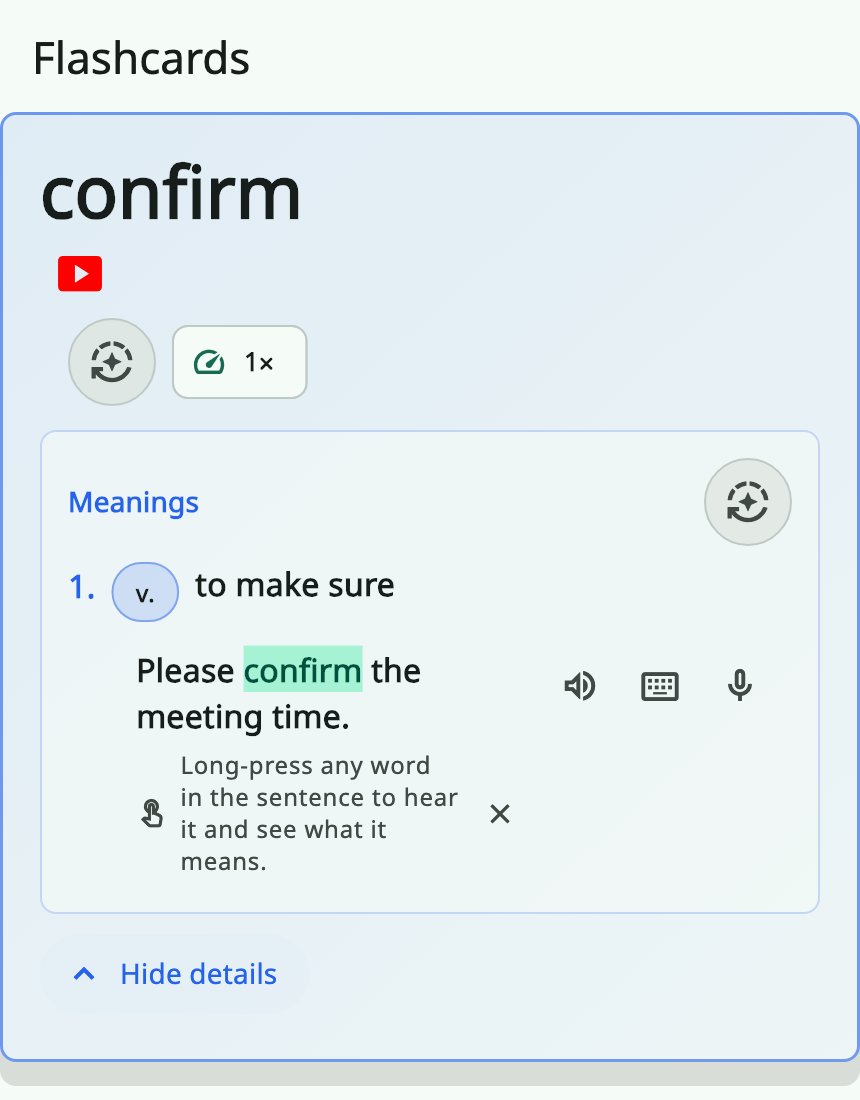
The screenshots below use example data.
- Tap the keyboard to listen with the text hidden. Arrange word chips or type the sentence, then check your answer.
- Tap the microphone to listen to the original and record yourself saying it. Play your recording alongside the original to compare them.
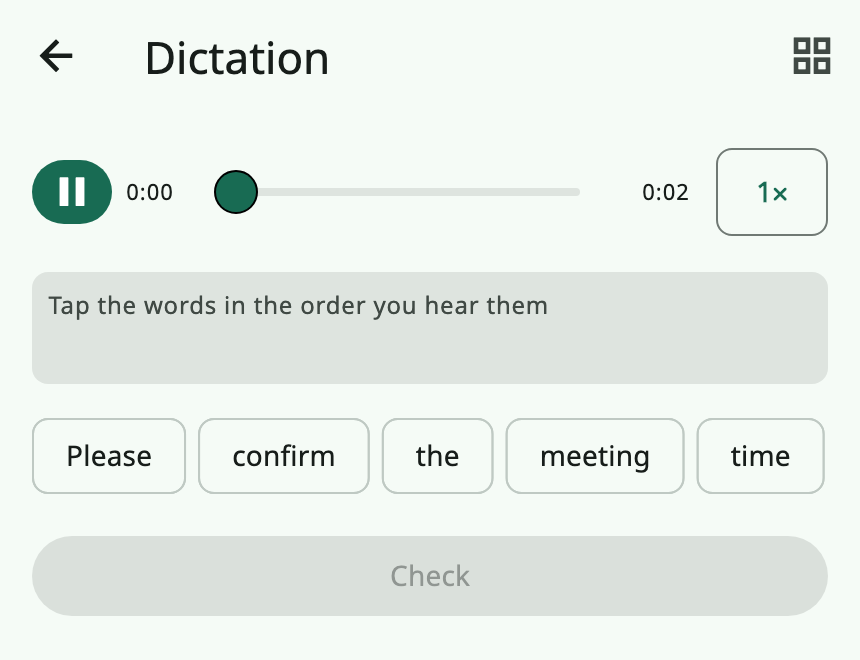
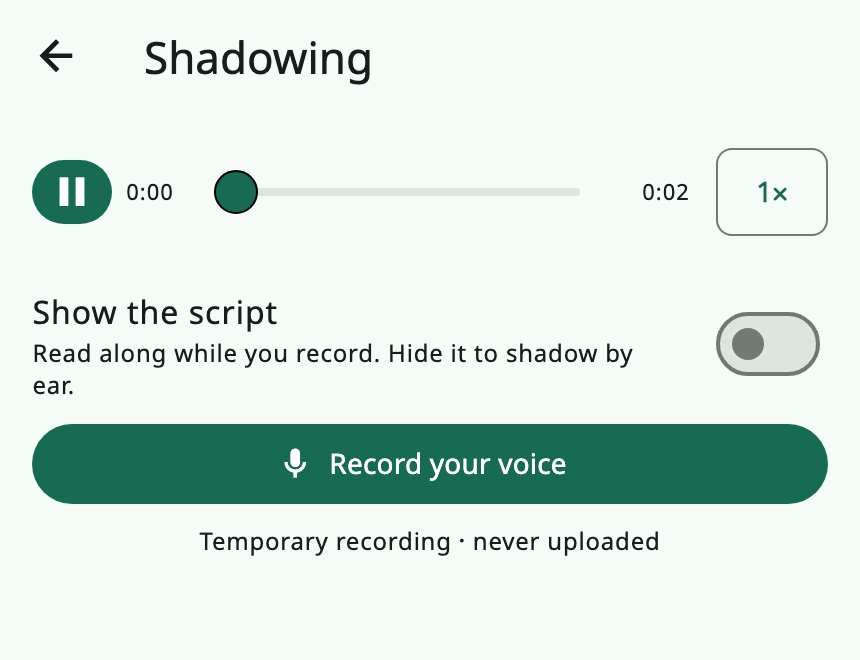
For example, when an example catches your eye, listen once and try to reconstruct the sentence. Then say it yourself and listen for differences in where you pause. When you finish, the card is still there and you can move on to the next word.
Example practice is free and does not use the daily practice allowance. Download the example audio pack first. If it is not on your device, the app will prompt you; tapping the practice button does not start a download automatically. The buttons are available for built-in vocabulary examples, not phrase examples or custom words in your library.
After shadowing, see what your device heard
After you record a take, a device that supports on-device English speech recognition can show how many words it heard, the percentage and the words it missed. On iPhone, the first check waits for a tap before requesting recognition permission; later checks happen automatically.
Treat the result as a clue for another listen, not a pronunciation score. A recognised word does not prove the stress, rhythm or intonation was right; a missed word may be due to background noise or a recognition error. When recognition is unavailable, you can still compare your recording with the original by ear. Recordings stay on your device and are not uploaded; recognition results are not saved.
After updating to 1.79.0, find an example on a Handy 990 vocabulary card and try dictation and shadowing. For the previous release, read What’s new in 1.78.0.